Website call tracking helps measure calls generated by a website by separating clicks on phone numbers from calls that were actually answered. A click shows intent to call; phone-system data can confirm that a conversation connected. Comparing these measures with relevant inquiries and traffic sources helps you assess the website’s role without assuming that every click becomes a customer.
- A phone-number click is not a completed call.: A website event records an interaction with a phone link. It does not confirm that the visitor placed or completed a call.
- Answered calls require phone-system data.: A phone system, calling application, or measurement service may show whether a call connected and how long it lasted.
- Attribution has limits.: A visitor may call from another device, return later, or find the number elsewhere. Web tracking cannot capture every path.
- Check the full measurement path.: Test phone links, compare web events with phone logs, and classify relevant inquiries separately.
What website call tracking actually measures
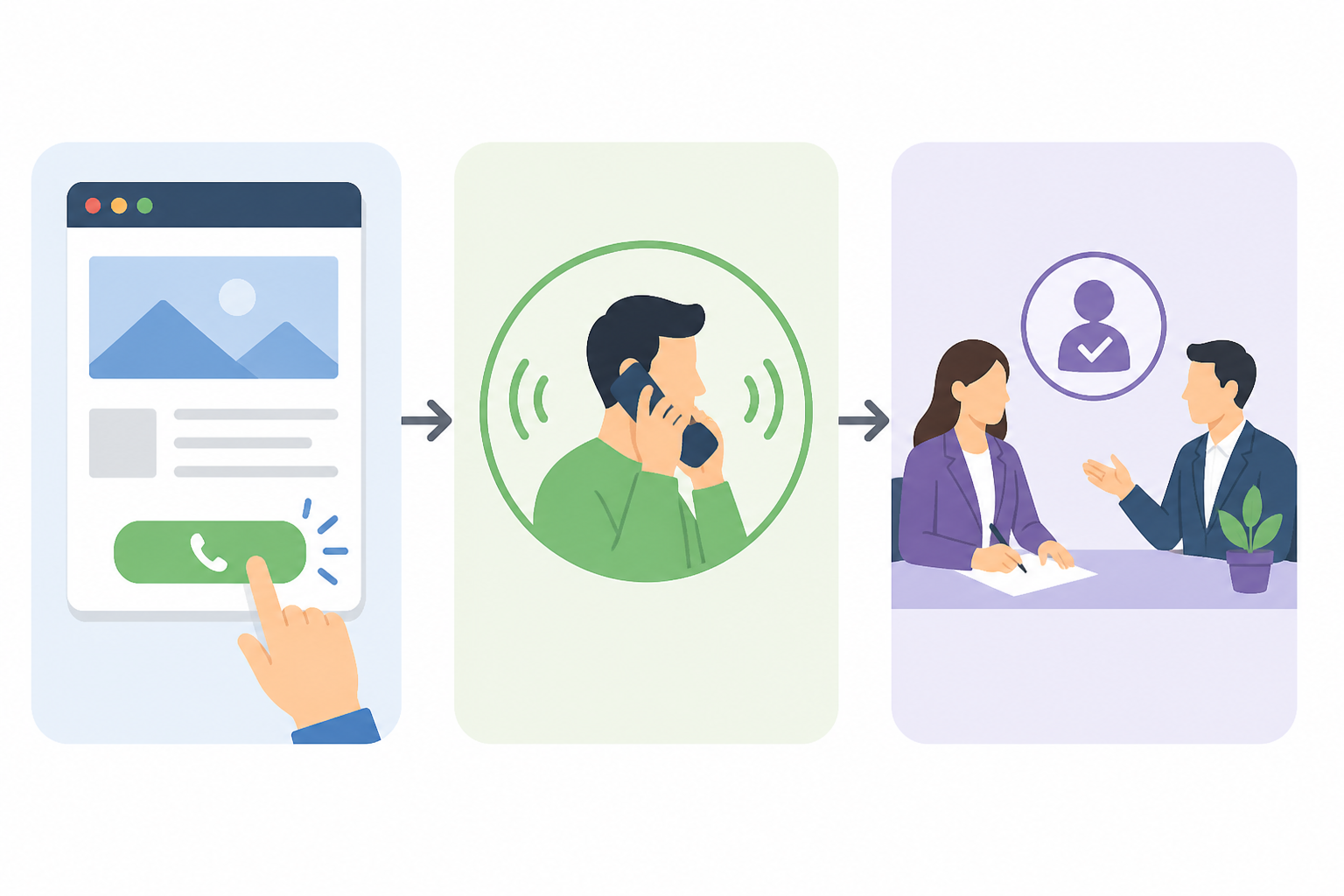
A click, a conversation, and a qualified inquiry are different measures
The phrase “calls generated by a website” can mean several things. It may refer to a visitor tapping a phone number on a page, actually placing a call, reaching someone at the business, or making an inquiry that leads to a commercial opportunity.
These are distinct stages: the number is displayed, a visitor clicks it, a call is placed, the conversation connects, and the inquiry is qualified. Report them separately. Combining them into one figure can make an expression of intent look like a business outcome.
For example, a visitor may tap the number to copy it and then call from another phone. Someone else may tap the link by mistake and immediately hang up. A click alone cannot tell you whether the business received a genuine opportunity.
Start with the business question
If you want to know whether the phone button is easy to use on mobile, measure clicks. If you need to know how many calls were answered, use phone-system data. If you want to assess the quality of inquiries, classify calls within your sales process.
Decide whether you are measuring intent, a connected call, or a qualified inquiry. Define what counts as a relevant call for your business before comparing pages or campaigns.
- Keep website clicks, connected calls, and qualified inquiries as separate measures.
- Define what a relevant call means for your business before reporting results.
Website call tracking for phone-number clicks
Set up and label the click event accurately
A phone number on a website can be configured as a phone link, usually using a tel: address. An analytics tool can record an event when someone taps that link. This can show which pages, buttons, or device types received clicks.
This measure is useful for comparisons. For example, you can see whether a prominent button near the top of a page receives clicks or whether visitors use the number in the footer more often. It shows behavior in the interface, not that a call was placed.
Check that the event fires only for phone links and identifies the page where it happened, if your tool supports that. A generic click event may include buttons unrelated to calling. If the number is plain text rather than a link, taps on it may not be recorded.
On a desktop, a click may open a calling application, copy the number, or have no expected effect. On a mobile device, the user may see a system prompt and then decide not to continue. Name the report precisely—for example, “phone link click,” not “answered call.”
Choose useful event details and test each link
Use a consistent event name and, if your analytics tool allows it, record the page, button position, and device type. Do not send phone numbers or other personal data as event parameters without a clear reason and appropriate review.
Use a name that describes the observed action, not an assumed result. Test every version of the number and button, including the header, contact page, and mobile layout.
- Use a precise event name that describes a click rather than an outcome.
- Test phone links on mobile and desktop, including after design or code changes.
How to measure calls that were actually answered
Use phone-system records to confirm connected calls
To confirm that a call reached the business, use data from a phone system, calling application, or service provider. Depending on the system, records may show incoming, answered, and missed calls, as well as call duration.
A connected call is not automatically a commercial inquiry. It could be from a supplier, an existing customer, someone asking about a service the business does not offer, or a wrong number. If you are measuring business outcomes, the team can assign a simple category such as new inquiry, existing customer, spam, unanswered, or another relevant reason.
If you want to associate calls with a traffic source, one option is to use a number dedicated to a campaign or channel. Another is dynamic number replacement, which displays different numbers depending on the visitor’s source. These approaches require setup and administration. Check coverage, costs, and compatibility with the business’s processes before implementing them.
Different numbers can create confusion if calls are routed incorrectly or records are not retained for as long as the analysis requires. Make sure the main number remains accessible, calls reach the appropriate team, and reporting follows applicable personal-data rules.
Choose a level of detail your team can maintain
A small business can start by comparing website click data with incoming-call records and noting call outcomes manually. A team managing multiple campaigns or contact points may need an integration between its phone system and inquiry-management system.
Automation is worthwhile only if the additional data changes decisions. Do not confuse call duration with commercial value. Restrict access to recordings or logs, and collect only the information needed for the stated purpose.
- Use phone-system records to confirm calls; use a separate process to assess their relevance.
- Adopt more detailed or automated tracking only when the information will be useful.
Attribute calls to traffic sources without false certainty
Treat attribution as an association, not proof
Attribution tries to answer the question, “Where did this inquiry come from?” A web analytics tool may associate a visit with a source such as organic search, a campaign, or direct traffic. A phone system can confirm that a call occurred. Connecting the two requires a shared mechanism, such as dedicated numbers or an integration that passes identifiers between systems.
Even then, the result is an association based on available data, not a complete account of a person’s decision. A visitor may see the site on a phone and call from a work computer. They may return after several days, share the number with a colleague, or find it somewhere else.
Cookies, consent settings, blocked scripts, and changes of device can break the connection between a web session and a call. Do not fill gaps with assumptions. Report attributed calls, unattributed calls, and total incoming calls separately.
Avoid statements such as “this campaign produced all the calls” if the method cannot establish that. A more cautious description is that the system associated a certain number of calls with that source under the measurement method used.
Make comparisons consistently
Compare similar periods using the same definitions and type of report. If you change the displayed number, tracking method, or response schedule, record the change. Otherwise, a difference may reflect the measurement method rather than visitor behavior.
Keep the visit source, phone-link click, and connected call as separate data points. Use consistent time periods and definitions when comparing pages or campaigns.
- Report unattributed calls separately rather than assigning them to a source by guesswork.
- Document changes to numbers, tracking, or call handling before comparing results.
A practical plan for checking the data
Before drawing conclusions, check the entire path. A correctly configured web event may still be incomplete if some numbers are not links. A phone log may include calls that did not come from the website.
1. Inventory numbers and where they appear
List the main number, any campaign numbers, and the pages where each appears. Check the header, footer, contact page, service pages, and fixed mobile buttons. Confirm that every link opens the correct number.
2. Test the click event
Use both a mobile device and a desktop computer. Tap the links and check whether the event appears in your chosen analytics tool, is recorded only once, and identifies the correct page. Repeat the test after design or code changes.
3. Compare with the phone system
For the same period, compare phone-link clicks with incoming and answered calls in the phone log. Do not expect the figures to match: they measure different stages. Investigate large differences, while allowing for people who copy the number or call later.
4. Classify inquiries and document changes
If it suits your business, record whether a call was relevant and what commercial step followed. Note when you change numbers, buttons, consent settings, or reporting rules so that comparisons have context.
Keep a table describing each measure and the system it comes from. Periodically check that the displayed number, link, and call destination are still correct.
- Repeat end-to-end tests after changes to the site or phone setup.
- Record each measure’s definition and data source.
Interpret results and decide what to do next
Read the measures together, not as a single score
Instead of focusing on one figure, build a simple report showing phone-link clicks, incoming calls, answered calls, and qualified inquiries. If you cannot reliably connect clicks with calls, report the totals separately and state the limitation.
Many clicks and few answered calls may point to a gap between intent and connection, but the figures alone do not explain the cause. Check business hours, signal quality, call routing, and whether the number works. Few clicks may make it worth testing the button’s visibility, but also consider traffic, page type, and audience relevance.
More calls are not automatically a better result if most are unsuitable inquiries or cannot be answered. Also assess response time, reasons for calling, and subsequent commercial steps. Do not attribute a change to one adjustment without checking other factors that changed at the same time.
Use clear definitions for reported rates
You can report phone-link clicks, incoming calls, answered calls, and qualified inquiries separately. If you calculate a rate between two stages, state exactly what the numerator and denominator are. Do not present it as a complete conversion rate if the data cannot reliably connect the same people or sessions.
Use the data to form questions you can investigate, rather than automatically assigning causes. Choose measures your team can collect consistently and interpret correctly.
Hypothetical example
A business notices that its service page receives many phone-link clicks, but the phone log shows fewer connected calls. Before changing the page, it checks the link on several phones, compares click times with call records, and asks the team whether visitors sometimes copy the number and call later.
- State the exact numerator and denominator for any rate you report.
- Use discrepancies to guide checks, not to claim a cause before investigating.
Frequently asked questions
Does a click on a phone number mean the person called?
No. A click records that someone tapped a phone link. They may abandon the action, copy the number, or call later from another device.
Can I measure answered calls using only a web analytics tool?
Usually not. A web analytics tool can record interactions with a phone number, but you need data from your phone system or a suitable integration to confirm that a call connected.
Why don’t clicks match the calls in my phone log?
They measure different actions. Some clicks do not lead to calls, and people may call from another device or later. Technical issues or finding the number somewhere other than the site can also affect the figures.
Do I need a different phone number for every campaign?
Not necessarily. Dedicated numbers can help associate calls with particular channels, but they add complexity. Use them only when the extra information is useful and manageable.
How can I tell whether calls are relevant to my business?
A phone log shows whether a call connected, not its commercial value. If appropriate, classify calls using simple categories such as new inquiry, existing customer, wrong number, or request outside the services you offer.
Conclusion
Useful measurement starts by separating phone-link clicks from answered calls and relevant inquiries. Configure events for phone links, check calls in the phone system, and document the limits of attribution. This gives you a basis for practical improvements without turning an association into certainty.
Related guides
- How much does a website cost in 2026? Complete budgeting guide
- Business website development: complete guide for companies
- WordPress or a custom website? Practical comparison for 2026
Discuss your project
Planning a company website or an online store? CreareSiteOnline.ro provides website development, SEO, digital marketing and ecommerce SEO. Tell us about your objectives so we can discuss a suitable collaboration.
contact@crearesiteonline.ro · 0731 935 067
Based in Bucharest. Working with businesses throughout Romania.