Choosing between guest checkout and a required account depends on what your online store needs to do for customers—not on a universal rule. If an order can be processed without a profile, guest checkout removes an extra step. If an account supports an essential feature, such as managing recurring orders, you can require one, but explain why and keep the process simple.
- There is no single checkout model that suits every store.: Choose based on order frequency, the features customers need, and genuine operational requirements.
- An account requirement needs a clear customer benefit.: Explain why registration is necessary and keep the form proportionate to its purpose.
- Test the entire checkout on mobile.: Check data entry, error messages, returning to earlier steps, and order confirmation.
- Compare user behavior, not just opinions.: Observe where people stop and compare checkout flows under similar conditions.
Guest checkout and required accounts: what each means
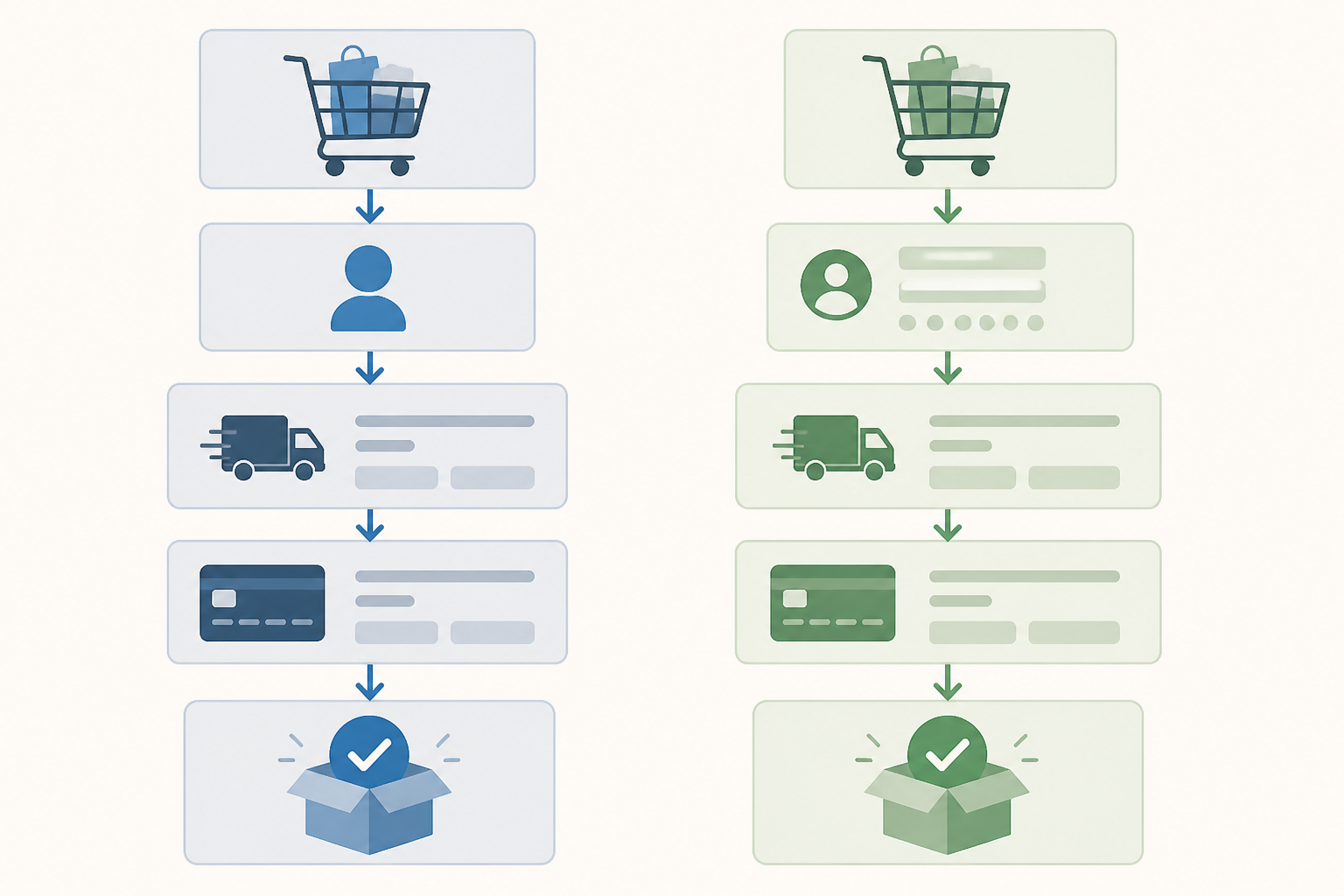
Choosing between guest checkout and a required account depends on what your store needs to do for customers—not on a universal rule. If an order can be processed without a profile, guest checkout removes an extra step. If an account supports an essential feature, such as managing recurring orders, you can require one, but explain why and keep the process simple.
Make the decision after identifying the types of orders you receive, the information you need, and the steps where customers leave. This guide covers practical decision criteria, hypothetical examples, and checks for mobile checkout.
The three checkout options
Guest checkout: purchase without a profile
The customer enters the details needed for the order without setting a password or creating a profile. Depending on the store, they may later receive confirmation and order updates by email or through other contact channels collected during checkout.
The practical advantage is that customers do not have to make an additional decision about creating an account before they can buy. It is worth considering when orders are straightforward and do not depend on personalized features.
Required account: access through a profile
The customer registers before or during checkout and uses account details for later access. A profile can support features such as viewing order history, managing addresses, or administering a recurring service, if the store actually provides those features.
Registration becomes an obstacle when it involves steps or information whose benefit is not easy to understand. Do not confuse value to the store’s administration with value to the buyer: the fact that an account simplifies internal processes does not automatically justify requiring one from everyone.
Optional account: a middle ground
You can let customers complete an order without an account and separately offer account creation when it provides a concrete benefit. For example, after an order, you could explain the profile’s features and the steps needed to activate it.
Make clear whether an account is optional or required for a particular feature. Avoid wording that could make customers think they cannot receive an order confirmation or track their order without registering.
How to choose between guest checkout and a required account
Make a list of features available only through an account and check whether they matter for your main order types. Set aside any supposed advantage that exists only for internal organization and does not improve the customer experience or order processing.
Order frequency and type
Start by distinguishing occasional purchases from recurring ones. If many customers buy once and the process does not involve managing an ongoing service, an account may add effort without meeting a customer need.
A profile may be more useful when customers return frequently and use features that depend on their history or preferences. That does not mean you should automatically require one: weigh the usefulness of those features against the work of registration.
Whether an account is operationally necessary
List the tasks that genuinely depend on an account. If you can confirm and process an order, and communicate about it using details collected at checkout, ask what specific problem a mandatory profile solves.
Consider this separately from integrations with your platform, invoicing, or inventory management. Internal processes need to work, but a technical solution should not automatically be passed on to customers as a more complicated form than they need.
The information and effort required
Review every form field and justify it by a real need related to processing, payment, delivery, or communication about the order. If a field is not necessary for a particular flow, consider removing it or moving it to an optional step.
For accounts, include the additional steps: setting a password, confirming an email address, or recovering access. Assess their impact in the context of your store and make sure the purposes for collecting data are communicated appropriately.
Examples of choosing based on order type
These are scenarios for analysis, not universal recommendations. Processes and requirements vary from one store to another.
A store selling products bought occasionally
Hypothetical example: a store sells a product customers buy infrequently, and customers receive confirmation and shipping information by email. If no important customer feature depends on a profile, the store could test guest checkout and offer account creation separately as an option.
The product category alone does not determine the choice. Check whether operational requirements or customer features change the situation.
Recurring orders or related services
Hypothetical example: a store lets customers repeat an order from their history or manage recurring deliveries. An account may make these features easier to use. Explain the benefit before registration and check whether every order needs an account or only orders that use the service.
If you can separate a straightforward purchase from a flow with additional features, do not require the same profile from everyone without considering alternatives.
Customized products or saved information
Hypothetical example: for customized orders, customers need to provide specific details. An account might help them return to that information, but check whether saving it is necessary and whether an order form without a profile could work just as well.
Explain in plain language what information is saved and why. Do not require registration simply because one type of order has additional fields.
How to test checkout, especially on mobile
Test the form on a real phone
Go through checkout on a phone, not only in a desktop preview window. Check that text is readable, fields are easy to select, and buttons remain accessible when the keyboard appears. Also check whether customers can return to an earlier step without losing what they entered.
Test on screens of different sizes and with a connection typical of your customers. Notice whether loading or moving between steps makes it difficult to complete an order.
Check errors and confirmation
Enter missing information or information in the wrong format deliberately to see whether the message says exactly what needs correcting. A generic message that appears only after the form is submitted may leave customers searching for the problem field.
After completion, check that the page and messages clearly confirm the order was received and explain what happens next. If you offer guest checkout, make sure customers can access order information using the method you communicated.
Compare alternatives under similar conditions
If you can test two flows, change one important element at a time. For example, compare checkout without an account with mandatory registration while keeping product, delivery, and payment information the same. Otherwise, you will not know which difference affected the outcome.
Track how many users start checkout, reach confirmation, and leave at each step. Interpret results in light of traffic volume and device differences, and avoid firm conclusions based on a small number of orders.
- Test at least one complete order on a phone and one on a computer, including a case with incorrect information.
- Record any problems you observe and fix them before changing the entire checkout flow.
How to keep an account from becoming an obstacle
A simple checkout does not mean removing every check. It means keeping the steps that are needed and explaining them clearly, without requirements that do not contribute to the order or a requested feature.
Avoid fields and steps without a purpose
Ask only for information needed for the order or for features the customer has requested. If a field is relevant only in certain situations, check whether it can appear only when needed.
Do not combine registration with marketing sign-up in one ambiguous action. Explain the purposes and choices separately, and check that the implementation meets the requirements applicable to your store.
Explain what happens after an order
Near the form, say how the customer will receive confirmation and the information they need about the order. If purchasing without an account has a limitation, describe it before the order is placed, not afterward.
If you offer an optional account, do not use labels that make it appear necessary to buy. Separate the actions and name the buttons so each purpose is easy to understand.
Keep operational flows manageable
Make sure your team can identify and process orders whether they were placed by signed-in customers or guests. Before making a change, check how it works with the systems you use for invoicing, inventory, and delivery.
If your store offers profiles, decide who handles accounts, access requests, and data corrections. A convenient purchase flow must also work with support processes and secure access management.
Frequently asked questions
What is guest checkout?
Guest checkout lets a customer place an order without creating an account. The customer provides the details needed for the order, and the store can send confirmation and delivery information through the contact channels collected during checkout.
Do I have to offer guest checkout?
There is no universal rule that requires every store to offer it. The right choice depends on the business model and operational needs. If you require an account, explain why and avoid asking for information that is not needed for the order.
Can I automatically create an account when a customer places an order?
Avoid creating an account without making the process and its implications clear to the customer. If you want to offer account creation, present it as a separate option, explain what it involves, and check applicable requirements for data and communications with relevant specialists.
How do I decide whether my store should require an account?
Compare order frequency, the need for account-based features, and the additional steps registration involves. If an account is needed for a specific service, such as managing recurring orders, explain its benefit. If orders are usually straightforward, test guest checkout before making an account mandatory.
What should I test on mobile?
Check that the form is easy to complete, fields are legible, the keyboard does not cover important buttons, error messages explain what needs fixing, and customers can finish without unnecessary steps. Also test whether they can go back without losing entered information.
Conclusion
Choose a checkout flow according to the account’s real value to customers and the way orders work in your store. If registration is necessary, explain the benefit, limit the steps to what is justified, and test the entire flow on mobile. If you do not have enough information to decide, compare alternatives under similar conditions and observe where customers abandon checkout before imposing a change on everyone.
Discuss your project
Planning a company website or an online store? CreareSiteOnline.ro provides website development, SEO, digital marketing and ecommerce SEO. Tell us about your objectives so we can discuss a suitable collaboration.
contact@crearesiteonline.ro · 0731 935 067
Based in Bucharest. Working with businesses throughout Romania.